Article Content
| Overview |
| User Account Requirements |
| Navigation |
| Creating an Issue |
Overview
Users can identify and document a new issue with the application by creating a new issue.
User Account Requirements
The user account used to log into Resolver must be added to the Issue Team user group.
Navigation
- From the Home screen, click the Home dropdown.
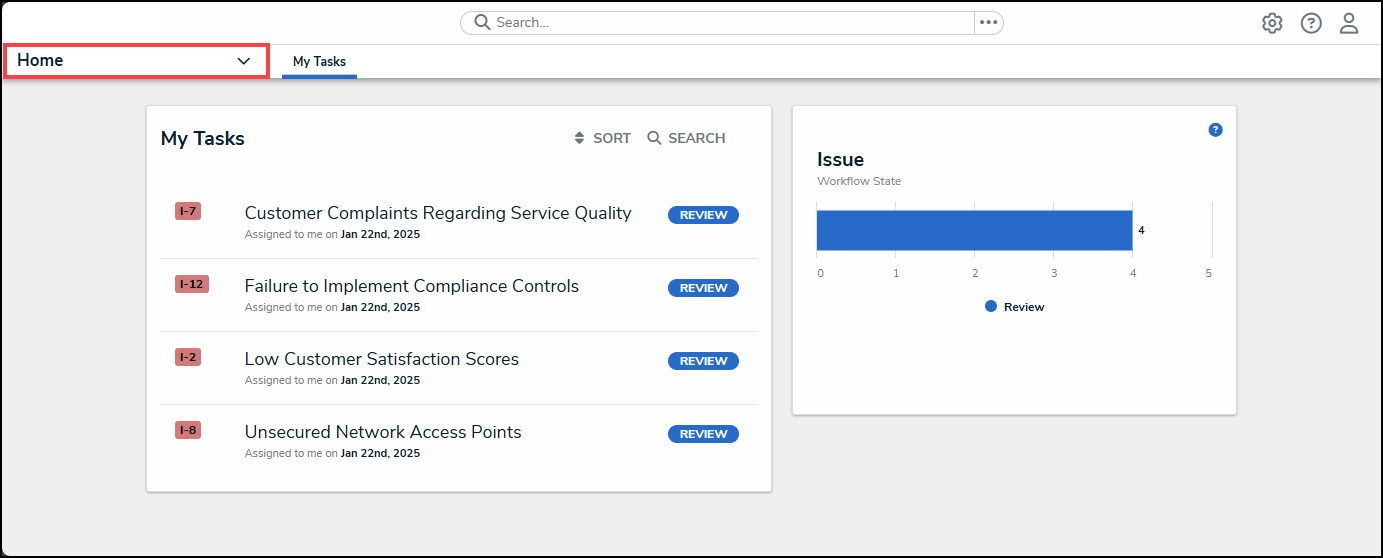
Home Dropdown
- From the Home dropdown menu, select the Issue Management link.
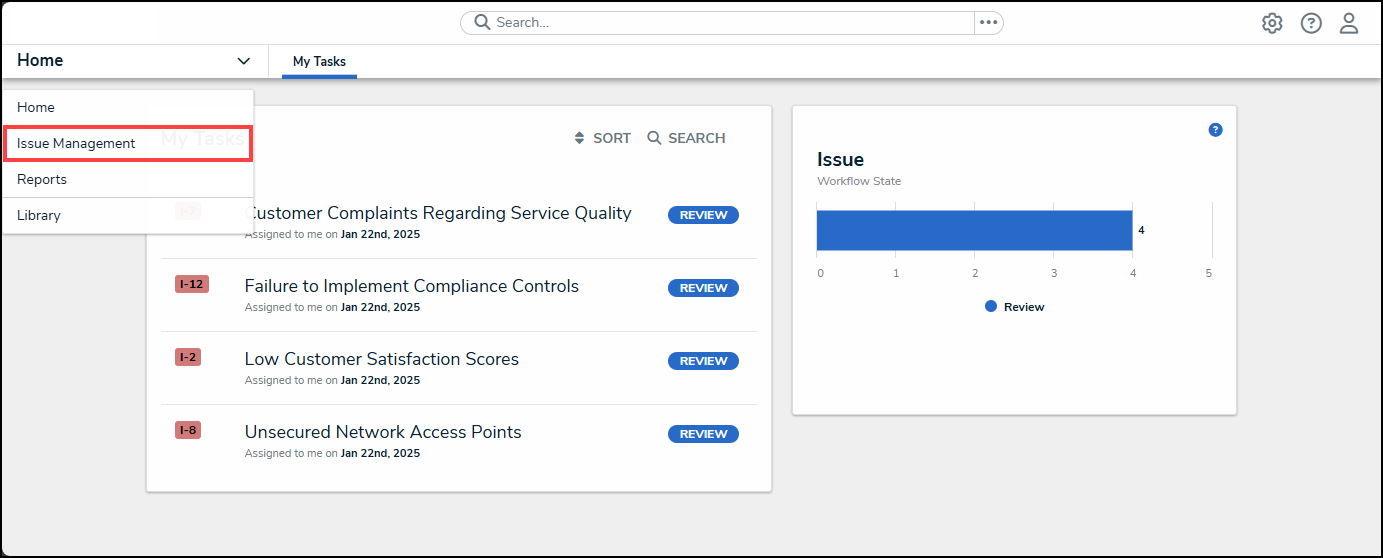
Issue Management Link
- From the Details tab, click the Open tab.
Open Tab
- From the Open screen, click the + Issue button.
+ Issue Button
Creating a New Issue Through the Open Screen
- The steps to create a new issue through the Open screen are the same as creating a new issue through the Draft screen. Please see the Creating a New Issue article for instructions on how to create a new issue.