Article Content
| Overview |
| User Account Requirements |
| Related Information/Setup |
| Navigation |
| Viewing the Issue Executive Dashboard |
Overview
The Issue Executive Dashboard gives users an overview of an organization's Issues, showing trends and patterns across business units, including Issues that impact Risk, Compliance, Audits, Internal Control, and Third-Party Risk.
User Account Requirements
The user account used to log into Resolver must be added to the Issue Team user group.
Related Information/Setup
Please refer to the Applying Filters to a Dashboard article for further information on how to user data filters on Dashboards.
Please refer to the Downloading a Dashboard article for further information on how to download a Dashboard.
Navigation
- From the Home screen, click the Home dropdown.
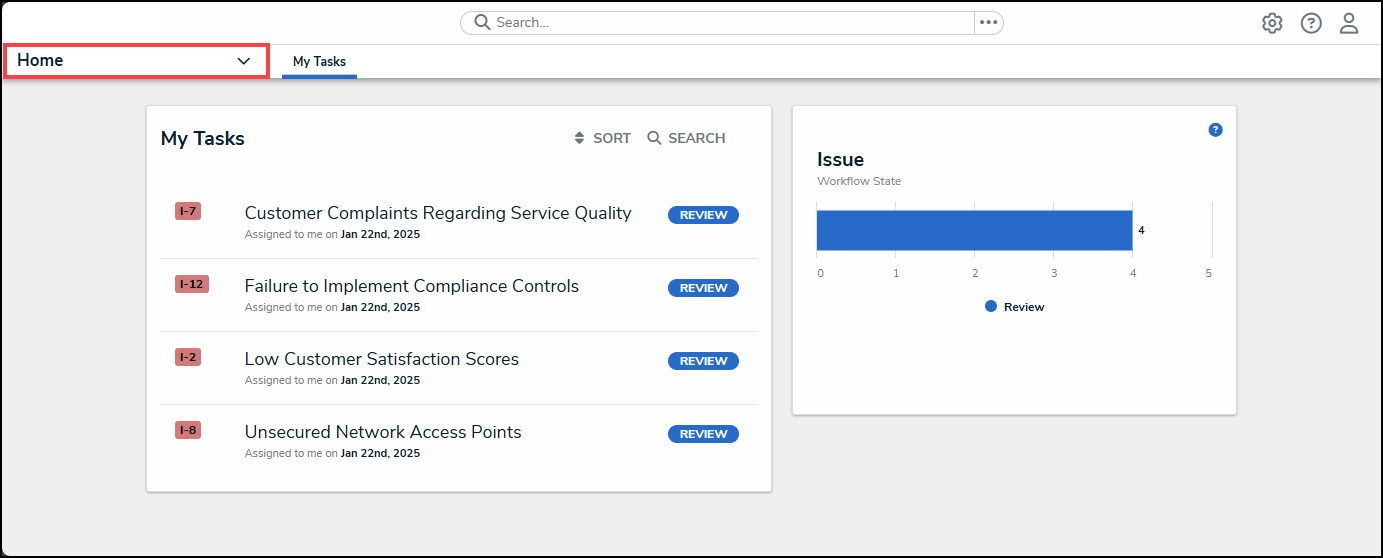
Home Dropdown
- From the Home dropdown menu, select the Issue Management link.
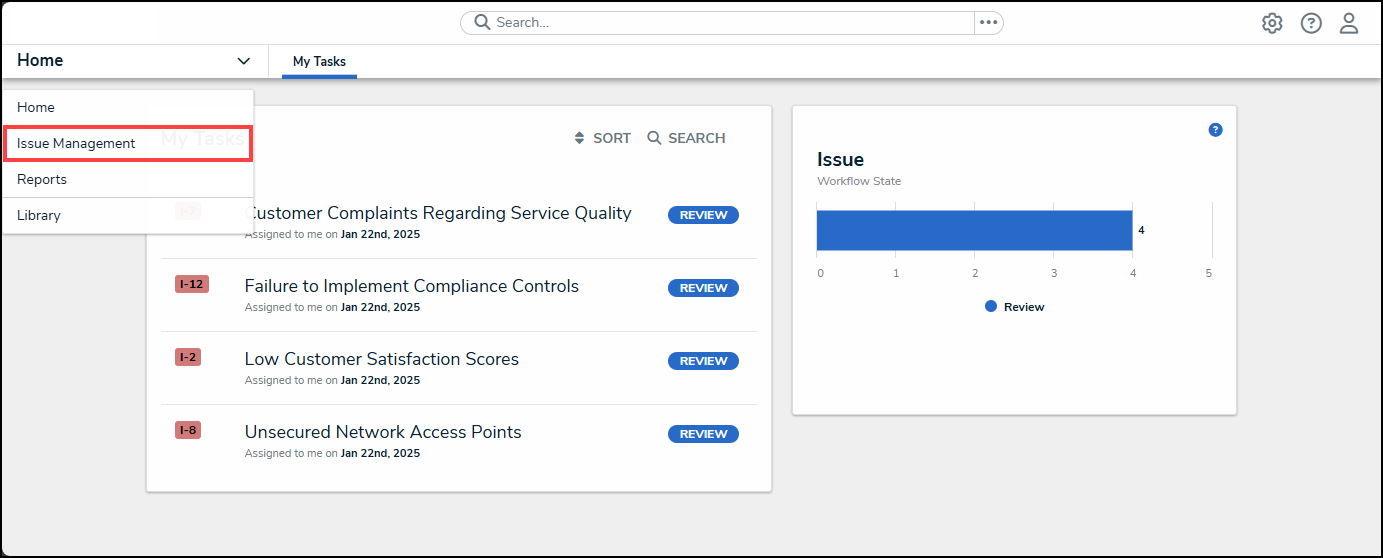
Issue Management Link
- From the Details tab, click the Issue Executive Dashboard tab.
Issue Executive Dashboard Tab
Viewing the Issue Executive Dashboard
- From the Issue Executive Dashboard screen, the following charts will appear:
- Issue Impact by Business Unit: This chart shows how many Issues are in each Issue Impact category for each Business Unit.
Issue Impact by Business Unit Chart
-
- Total Open Issues: The number of open issues across all business units.
Total Open Issues Chart
-
- Issue Age (Avg): The average number of days an issue is open, across all business units.
Issue Age (Avg) Chart
-
- Days Overdue (Avg): The average number of days an issue is overdue, across all business units.
Days Overdue (Avg)
-
- Priority by Issue Category: The number of Issues within a priority category (e.g., Low, Medium, etc.) by Issue Category
Priority by Issue Category Chart
-
- # of Issues by Impact and Priority: The number of Issue within an Issue Impact Category for a specific priority (e.g., High Priority with Medium Issue Impact).
# of Issues by Impact and Priority Chart
-
- Days Overdue by Business Unit: The number of Issues overdue for a specific range of days by Business Unit (e.g., the number of Issues overdue by 0 - 30 days for the corporate Business Unit).
Days Overdue by Business Unit Chart
-
- # of Issues Created this Year: The number of Issue create this year, across the organization.
# of Issues Create this Year Chart