Article Content
| Overview |
| User Account Requirements |
| Related Information/Setup |
| Navigation |
| Viewing the Issue Management Dashboard |
Overview
The Issue Management Dashboard gives users an overview of an organization's Issues, showing upcoming Issue tasks with due dates.
User Account Requirements
The user account used to log into Resolver must be added to the Issue Team user group.
Related Information/Setup
Please refer to the Applying Filters to a Dashboard article for further information on how to user data filters on Dashboards.
Please refer to the Downloading a Dashboard article for further information on how to download a Dashboard.
Navigation
- From the Home screen, click the Home dropdown.
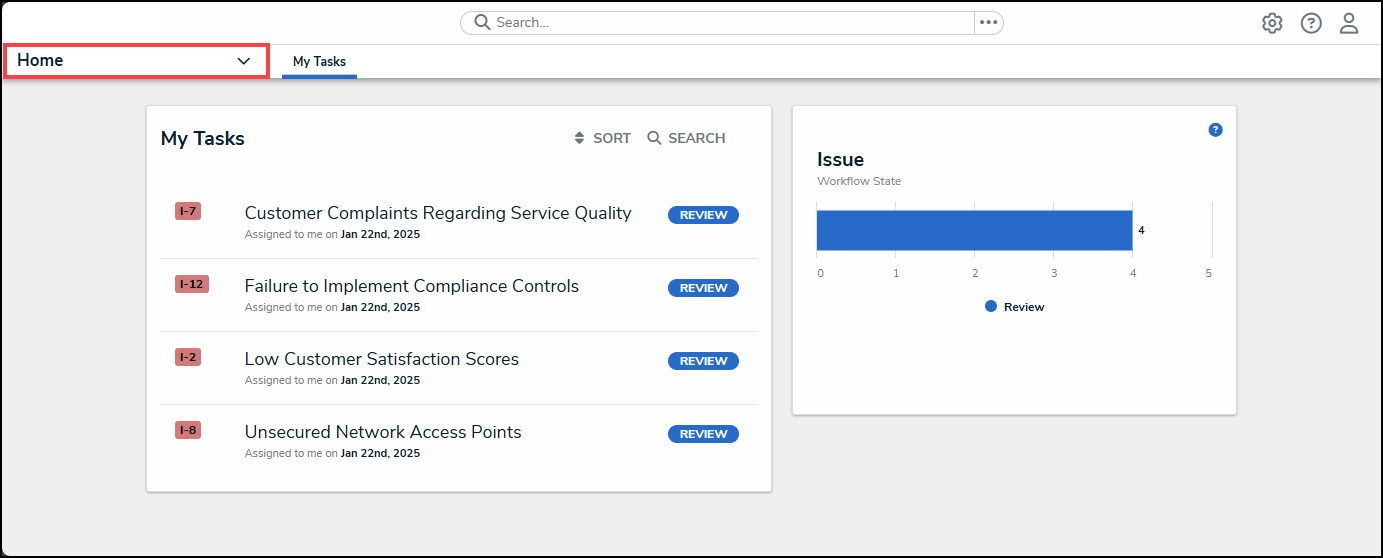
Home Dropdown
- From the Home dropdown menu, select the Issue Management link.
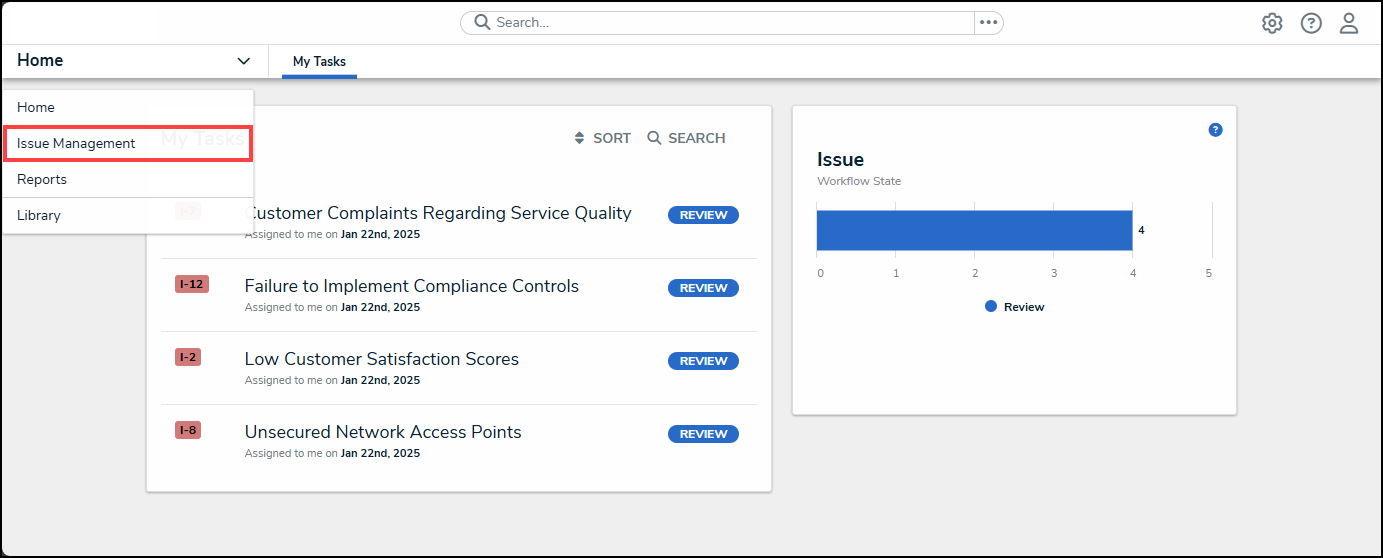
Issue Management Link
- From the Details tab, click the Issue Management Dashboard tab.
Issue Management Dashboard Tab
Viewing the Issue Management Dashboard
- From the Issue Management Dashboard screen, the following charts will appear:
- Issue Status: The number of Issues by status.
Issue Status Chart
-
- Closed Issues this Month: The number of issues closed for the current month.
Closed Issues this Month Chart
-
- Overdue Critical Issues: The number of critical Issues that are overdue.
Overdue Critical Issues Chart
-
- Average Days to Close: The average number of days it takes to close an Issue.
Average Days to Close Chart
-
- Average Days Overdue: The average number of days an Issue is overdue.
Average Days Overdue Chart
-
- Status by Business Unit: The number of Issues by status and Business Unit.
Status by Business Unit Chart
-
- Issues Identified by Priority and Quarter: The number of Issues by priority in a specific quarter.
Issues Identified by Priority and Quarter Chart
-
- # of Issues by Days Overdue & Priority: The number of Issue by priority within a specific number of days overdue (e.g., 0 - 30 days).
# of Issues by Days Overdue & Priority Chart
-
- Issues with Upcoming Due Dates (30 Days): The number of Issues with due dates within 30 days of the current day.
Issues with Upcoming Due Dates (30 Days) Chart